Troubleshooting FortiGate OSPF MTU Mismatch Between Sites.

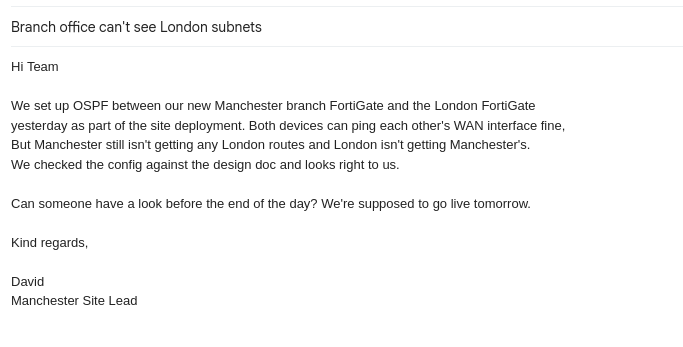
I was working on something this week that I wanted to replicate in my lab. I'm going to create a fake email ticket from a client that mimics what I found and resolved.
Ticket:
Lab Topology
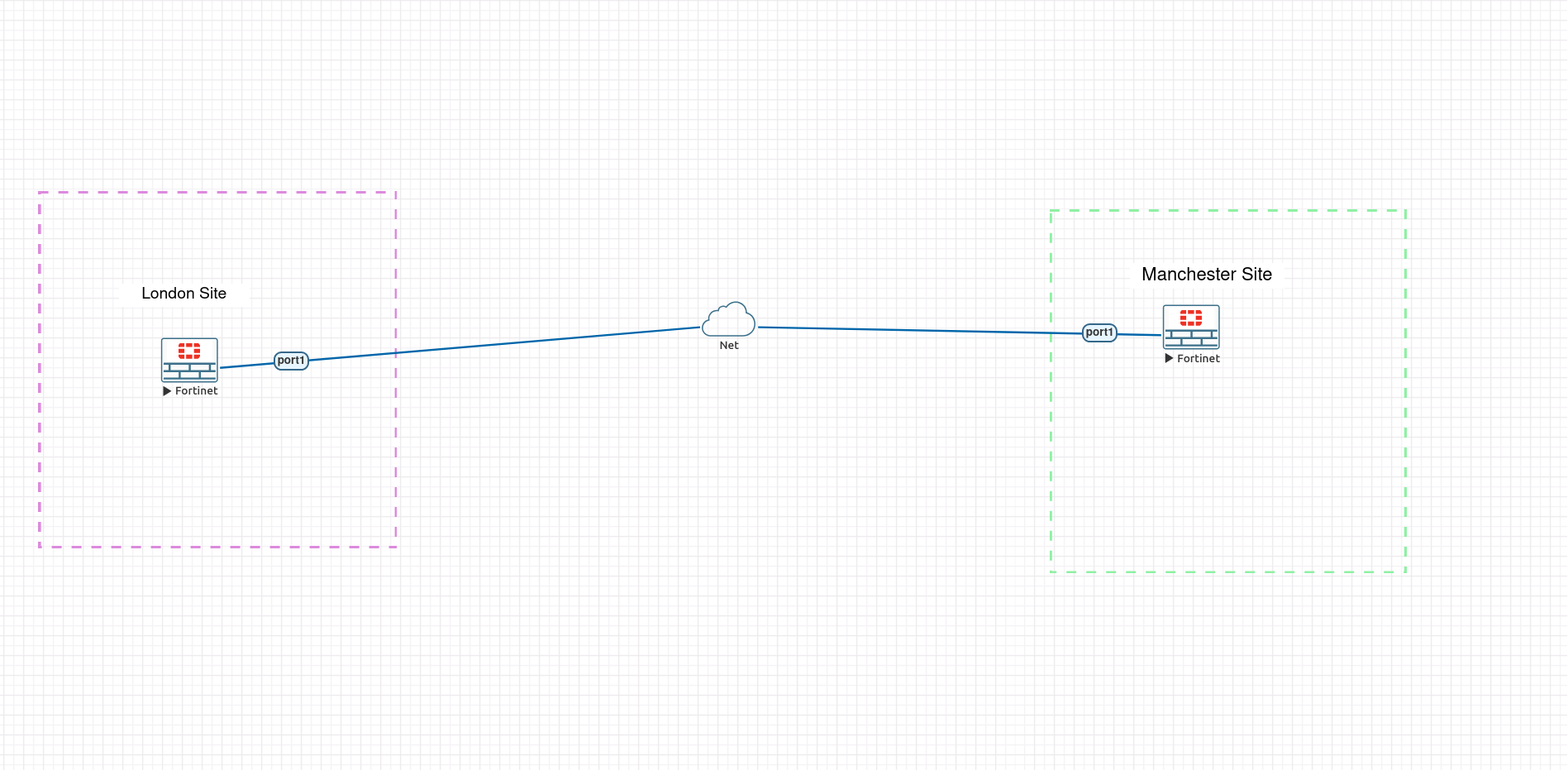
Built in EVE-NG to reproduce the scenario before touching production:
- London-FGT and Manchester-FGT, each FortiGate-VM64-KVM
- Connected via single internal object (cloud) bridge type.
- Shared segment: 10.0.12.0/24 → London-FGT 10.0.12.1/24, Manchester-FGT 10.0.12.2/24
- Each site has a loopback simulating its internal subnet → London 1.1.1.1/32, Manchester 2.2.2.2/32 advertised into OSPF area 0.0.0.0
Troubleshooting the issue.
The client has said that they can ping from one device to another. However, they haven’t sent me any proof of this, so I will ping the device to see if that is correct and the devices can communicate over the WAN.
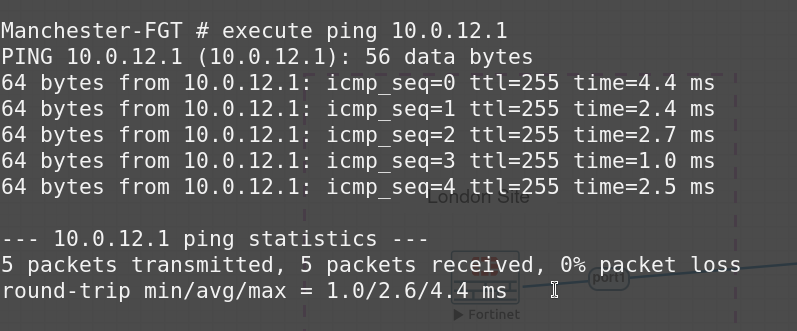
This proves that the device can communicate over the WAN.
The client mentions that they have set up OSPF, but the routes are not establishing between sites, so issue revolves around routing OSPF.
I can check the OSPF information on each device.
Manchester:
Manchester-FGT # get router info ospf neighbor
OSPF process 0, VRF 0:
Neighbor ID     Pri   State           Dead Time   Address         Interface
1.1.1.1           1   ExStart/DR      00:00:39    10.0.12.1       port1
London:
London-FGT # get router info ospf neighbor
OSPF process 0, VRF 0:
Neighbor ID     Pri   State           Dead Time   Address         Interface
2.2.2.2           1   2-Way/DROther   00:00:30    10.0.12.2       port1
So Manchester looks to be in a ExStat/DR state. This usually means that the two devices can see each other however, they are getting stuck on summarizing their routing database to each other.
This usually happens when there is an MTU mismatch or a duplicate router ID.
Before checking the interfaces of the device I can do a Packet Capture on Manchester to London.
diagnose sniffer packet port1 'proto 89' 4
’proto 89’ is the protocol referring to OSPF.
Manchester-FGT # diagnose sniffer packet port1 'proto 89' 4
Using Original Sniffing Mode
interfaces=[port1]
filters=[proto 89]
1.310356 port1 -- 10.0.12.2 -> 10.0.12.1:  ip-proto-89 32
1.311579 port1 -- 10.0.12.1 -> 10.0.12.2:  ip-proto-89 52
2.103034 port1 -- 10.0.12.1 -> 224.0.0.5:  ip-proto-89 48
2.123789 port1 -- 10.0.12.2 -> 224.0.0.5:  ip-proto-89 48
6.031383 port1 -- 10.0.12.1 -> 10.0.12.2:  ip-proto-89 76
6.313573 port1 -- 10.0.12.2 -> 10.0.12.1:  ip-proto-89 32
6.316704 port1 -- 10.0.12.1 -> 10.0.12.2:  ip-proto-89 52
10.030431 port1 -- 10.0.12.1 -> 10.0.12.2:  ip-proto-89 76
11.312575 port1 -- 10.0.12.2 -> 10.0.12.1:  ip-proto-89 32
11.314947 port1 -- 10.0.12.1 -> 10.0.12.2:  ip-proto-89 52
12.437156 port1 -- 10.0.12.1 -> 224.0.0.5:  ip-proto-89 48
12.448760 port1 -- 10.0.12.2 -> 224.0.0.5:  ip-proto-89 48
15.023980 port1 -- 10.0.12.1 -> 10.0.12.2:  ip-proto-89 76
16.317016 port1 -- 10.0.12.2 -> 10.0.12.1:  ip-proto-89 32
16.319333 port1 -- 10.0.12.1 -> 10.0.12.2:  ip-proto-89 52
21.031920 port1 -- 10.0.12.1 -> 10.0.12.2:  ip-proto-89 76
21.312911 port1 -- 10.0.12.2 -> 10.0.12.1:  ip-proto-89 32
21.314002 port1 -- 10.0.12.1 -> 10.0.12.2:  ip-proto-89 52
22.815738 port1 -- 10.0.12.1 -> 224.0.0.5:  ip-proto-
^C
39 packets received by filter
0 packets dropped by kernel
This won't show what’s inside each packet, just the size, source, destination, and timing, but it’s still useful.
The same pair of packets London → Manchester, Manchester → London are repeating roughly every 5 seconds. That’s the retransmit loop. London sends its Database Description packet, gets no valid response, waits out its retransmit timer, and sends it again.
Finding the issue
get router info ospf interface port1
Manchester
Manchester-FGT # get router info ospf interface port1
port1 is up, line protocol is up
  Internet Address 10.0.12.2/24, Area 0.0.0.0, MTU 1400
  Process ID 0, VRF 0, Router ID 2.2.2.2, Network Type BROADCAST, Cost: 1
London
London-FGT # get router info ospf interface port1
port1 is up, line protocol is up
  Internet Address 10.0.12.1/24, Area 0.0.0.0, MTU 1500
  Process ID 0, VRF 0, Router ID 1.1.1.1, Network Type BROADCAST, Cost: 1
We can see the mismatch here. Because of the mismatch Manchester receives London’s DBD advertising MTU 1500, compares it against its own local MTU (1400), and discards it.
Fixing the issue:
Manchester:
config system interface
    edit "port1"
        set mtu 1500
    next
end
execute router clear ospf process
Manchester-FGT # get router info ospf neighbor
OSPF process 0, VRF 0:
Neighbor ID     Pri   State           Dead Time   Address         Interface
1.1.1.1           1   Full/DR         00:00:39    10.0.12.1       port1
London:
London-FGT # get router info ospf neighbor
OSPF process 0, VRF 0:
Neighbor ID     Pri   State           Dead Time   Address         Interface
2.2.2.2           1   Full/Backup     00:00:40    10.0.12.2       port1
Now the devices are back to FULL/DR. Routes confirmed on both sides.
So what to take away from this is:
- Exstart/Exchange stuck = check MTU first - It’s the single most common reason for an OSPF neighbour to reach DR/BDR election but never complete adjacency.
get router info ospf interface <port>on both ends is faster than a packet capture for this specific fault.