Troubleshooting Split Brain in FortiGate Firewall

When a misconfiguration in the heartbeat communication between two firewalls is what people call a Split Brain.
I will create a troubleshooting ticket from a fake client and show what a split brain looks like and how to fix the issue.
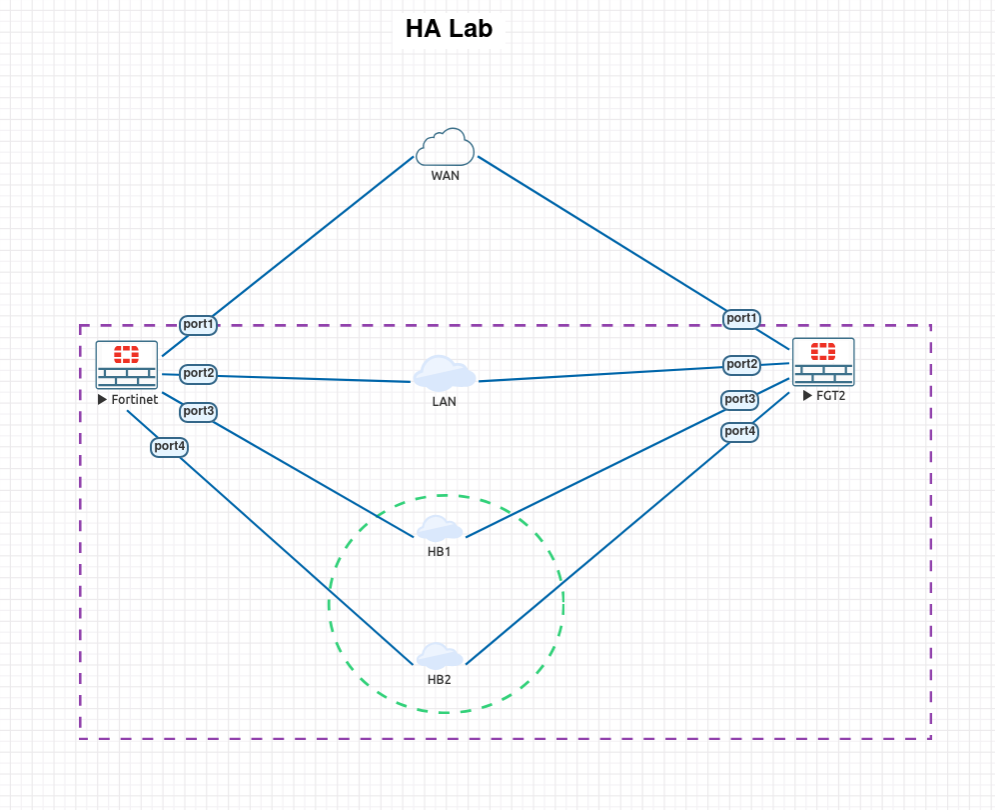
The lab will look very similar to the HA configuration which I will link below.
 Dylan
Dylan
Lab Topology
Ticket
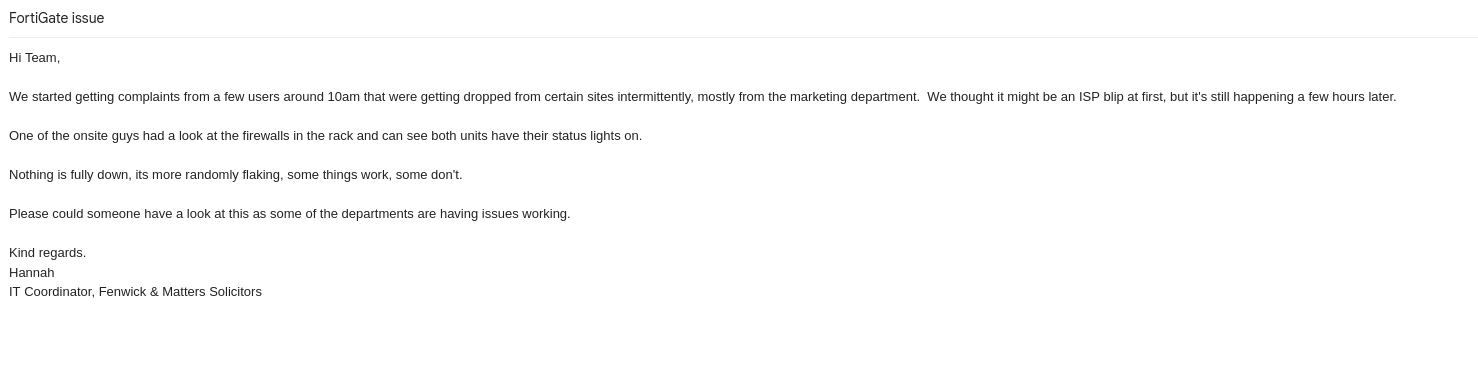
Troubleshooting.
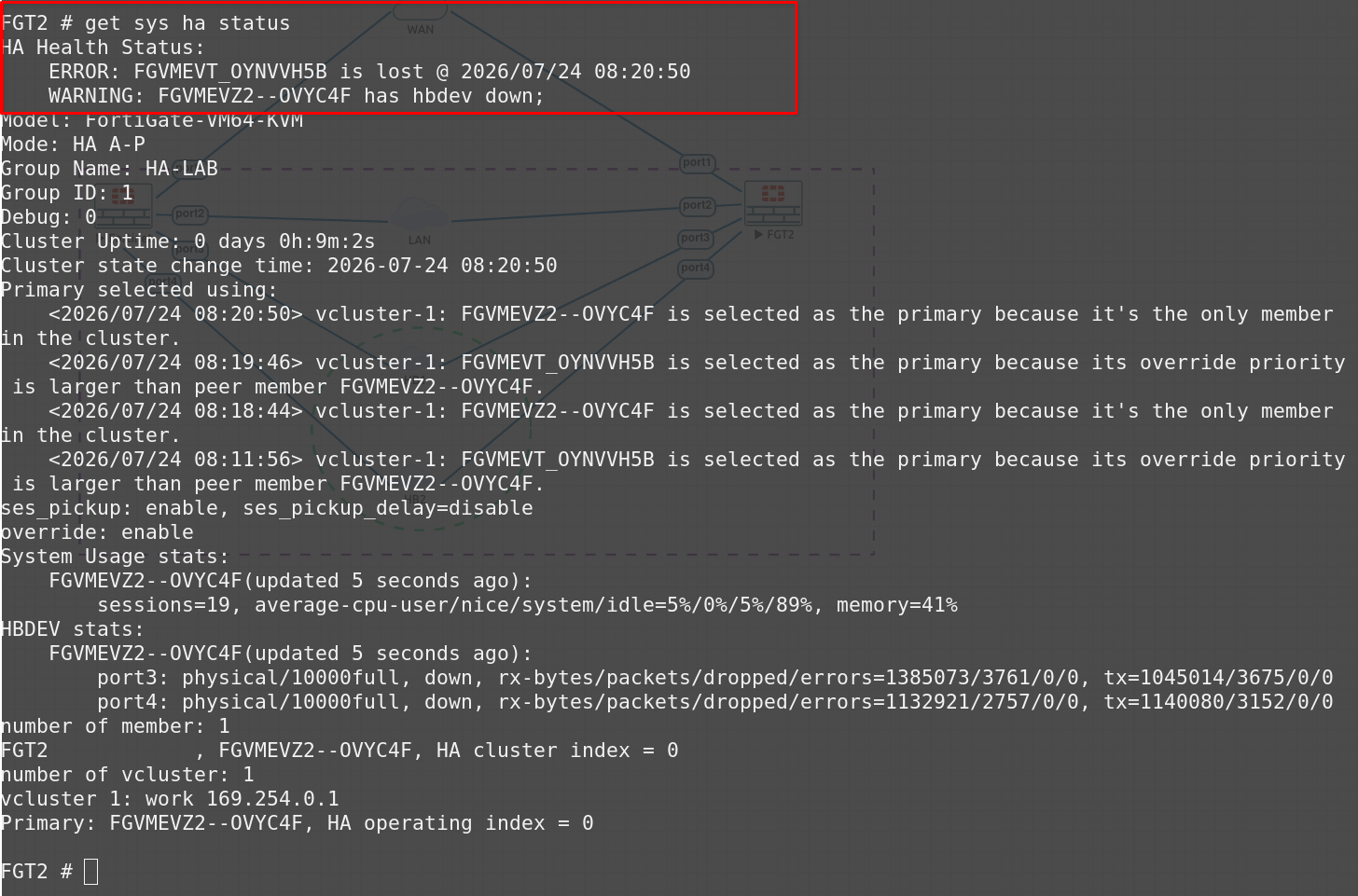
I want to confirm that both units are genuinely thinking they are the primary.
get system ha status
FGT2
FGT1
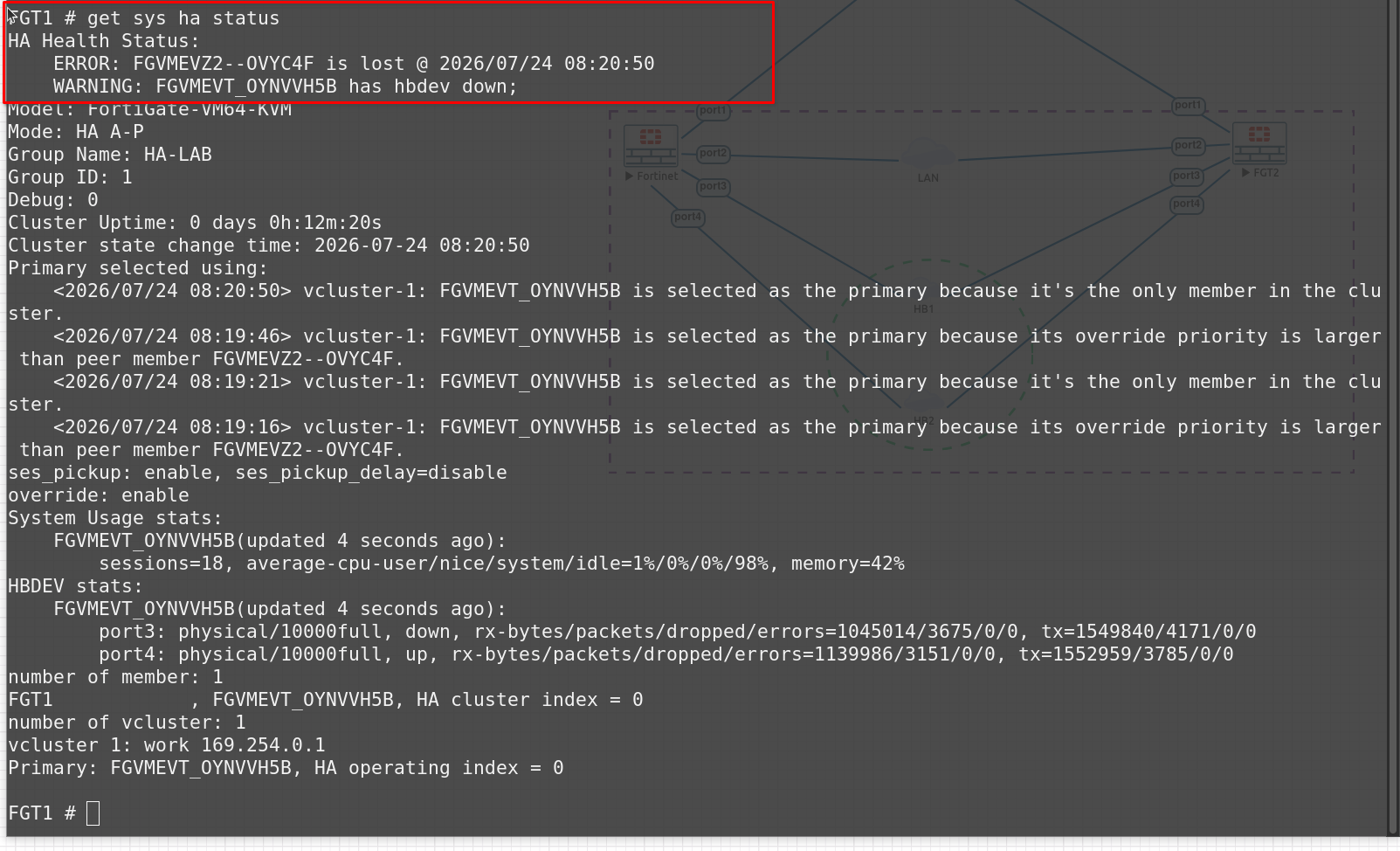
After dong the following command on both devices we can see there is an error message that states the hbdev is down. Which means that the heart beat detection is down.
diagnose sys ha status
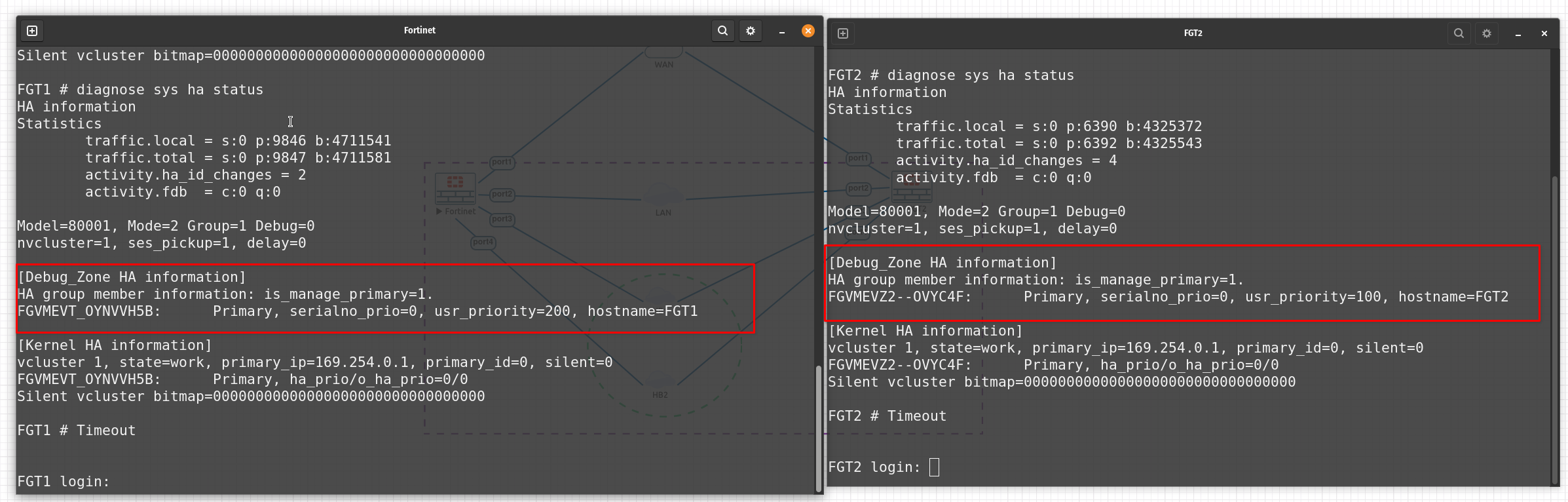
Both devices are showing as the primary device in the is_manage_primary=1 section. Basically this means that both boxes don’t know the other exists.
get system ha
FGT1
Welcome!

FGT1 # get system ha
group-id            : 1
group-name          : HA-LAB
mode                : a-p
sync-packet-balance : disable
password            : *
hbdev               : "port3" 50 "port4" 50
auto-virtual-mac-interface:
backup-hbdev        :
session-sync-dev    :
route-ttl           : 10
route-wait          : 0
route-hold          : 10
multicast-ttl       : 600
FGT2
FGT2 # get system ha
group-id            : 1
group-name          : HA-LAB
mode                : a-p
sync-packet-balance : disable
password            : *
hbdev               : "port3" 40 "port4" 50
auto-virtual-mac-interface:
backup-hbdev        :
session-sync-dev    :
route-ttl           : 10
route-wait          : 0
route-hold          : 10
multicast-ttl       : 600
evpn-ttl            : 60
FGT2 hbdev section that shows port3 40 and port4 50 is a misconfiguration that has caused the hbdev interface to shut down.
This is why the FortiGate devices think they are both the primary device and that they don’t know each other exists.
We can confirm this by checking the interface on FGT2
FGT2
    edit "port3"
        set vdom "root"
        set status down
        set type physical
        set alias "HB1"
        set snmp-index 3
    next
    edit "port4"
        set vdom "root"
        set status down
        set type physical
        set alias "HB2"
        set snmp-index 4
Fixing the issue
It’s actually a simple fix. All we need to do is make sure that the hbdev settings on each device are the same and bring up the interface that is down on FGT2 & FGT1.
FGT2
config system ha
	edit hbdev port3 50 port4 50
end
config system interface
    edit "port3"
        set status up
    next
    edit "port4"
        set status up
    next
end
FGT1
config system interface
    edit "port3"
        set status up
    next
    edit "port4"
        set status up
    next
end
We can now see in the image below that the primary device is FGVMEVT_0YNVVH5B which is FGT1
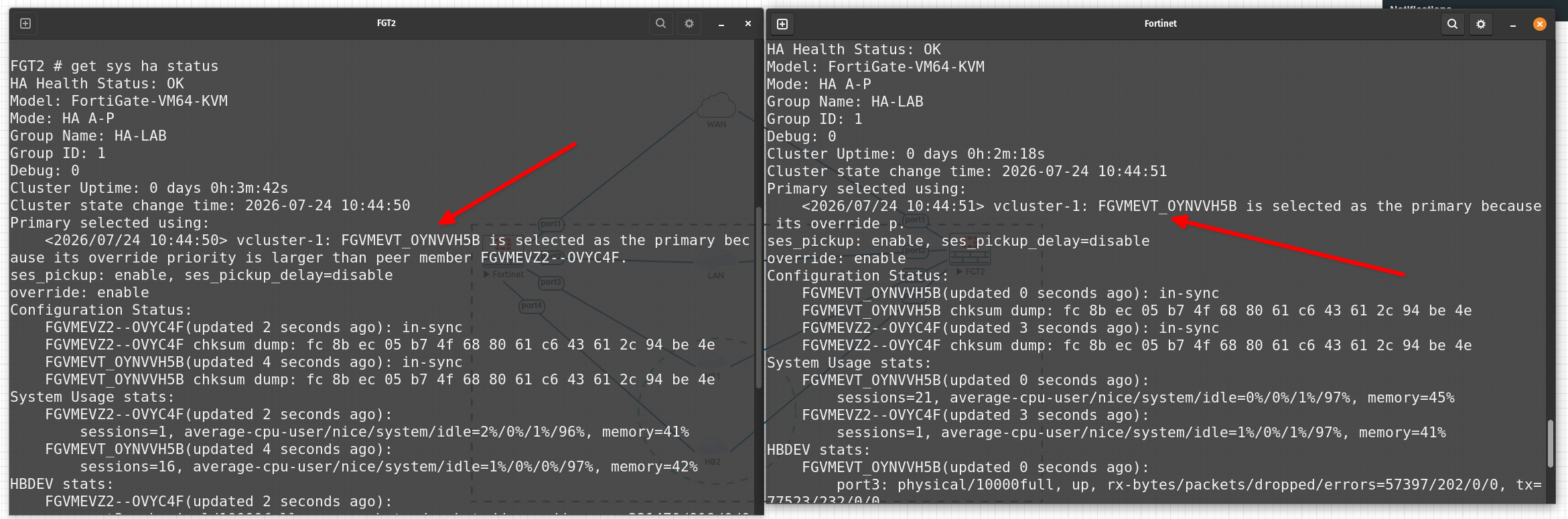
- Perform a
get ha system statusthis will show you information regarding the HA status and show which one is the primary and secondary. If there is an issue, there will be a warning to the hbdev status. diagnose sys ha statusThis will show you that the cluster is not active.- Check the HA interface and config of the interface